
MunshiGi
Aapke Restaurant Ka Hisaab
Billing that keeps working, even without internet.
GST bills, KOT, UPI QR and reports — on Android or Windows, with your thermal printer.

Your friendly munshi for every bill
- Works without internet
- GST, composition or no GST
- KOT to the kitchen
- UPI QR on every bill
- Bluetooth · Wi-Fi · USB printers
- Table QR ordering with OTP
- Menu upload from Excel
- Daily, item-wise and GST reports
- Automatic cloud backup
- Android tablets and Windows PCs
Simple choices
What we offer
Three clear options. Pick what fits your restaurant — we'll help with the rest.
Not sure which one? Enquire once — we'll recommend the right setup for your counter.
Inside every plan
From the first order to the last bill of the night — without slowing your staff down.
Watch it happen
KOT goes out. Bill prints. Guests pay.
See how MunshiGi moves an order — kitchen slip first, then a GST bill with UPI QR.
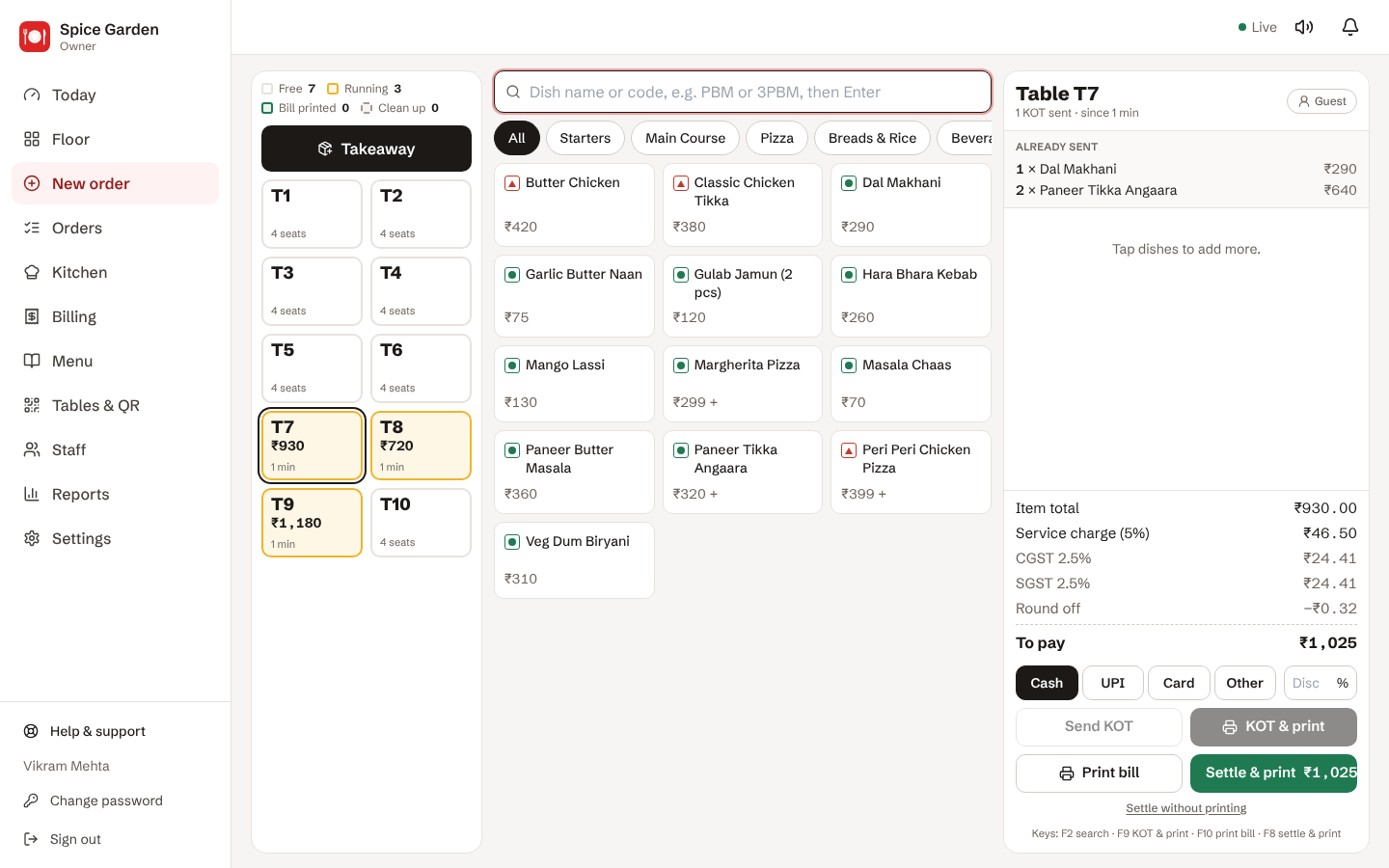
1 · Order
Tap dishes on the counter (or guest scans table QR).
2 · KOT
Kitchen slip prints / shows — cooks start immediately.
3 · Bill
GST bill rolls out with UPI QR for the exact amount.
From table to bill, in seconds
One order, all the way through your restaurant. No running between the counter and the kitchen.
-
Guest scans & orders
Table QR, menu on the phone, OTP check. Or the waiter takes it on a tablet.
-
KOT prints in the kitchen
On the kitchen printer, even far from the counter over Wi-Fi.
-
Bill with UPI QR
GST bill in one tap, with your UPI QR and the exact amount on it.
-
Paid, and in your reports
Cash, UPI or card. Today's sales update right away.
Internet gone? Billing goes on.
The offline app keeps every bill on the tablet or computer. When the internet returns, it backs up on its own.
- Bills, KOT and printing never stop
- Automatic backup when the internet is back
- Tablet broken? Restore everything on a new one
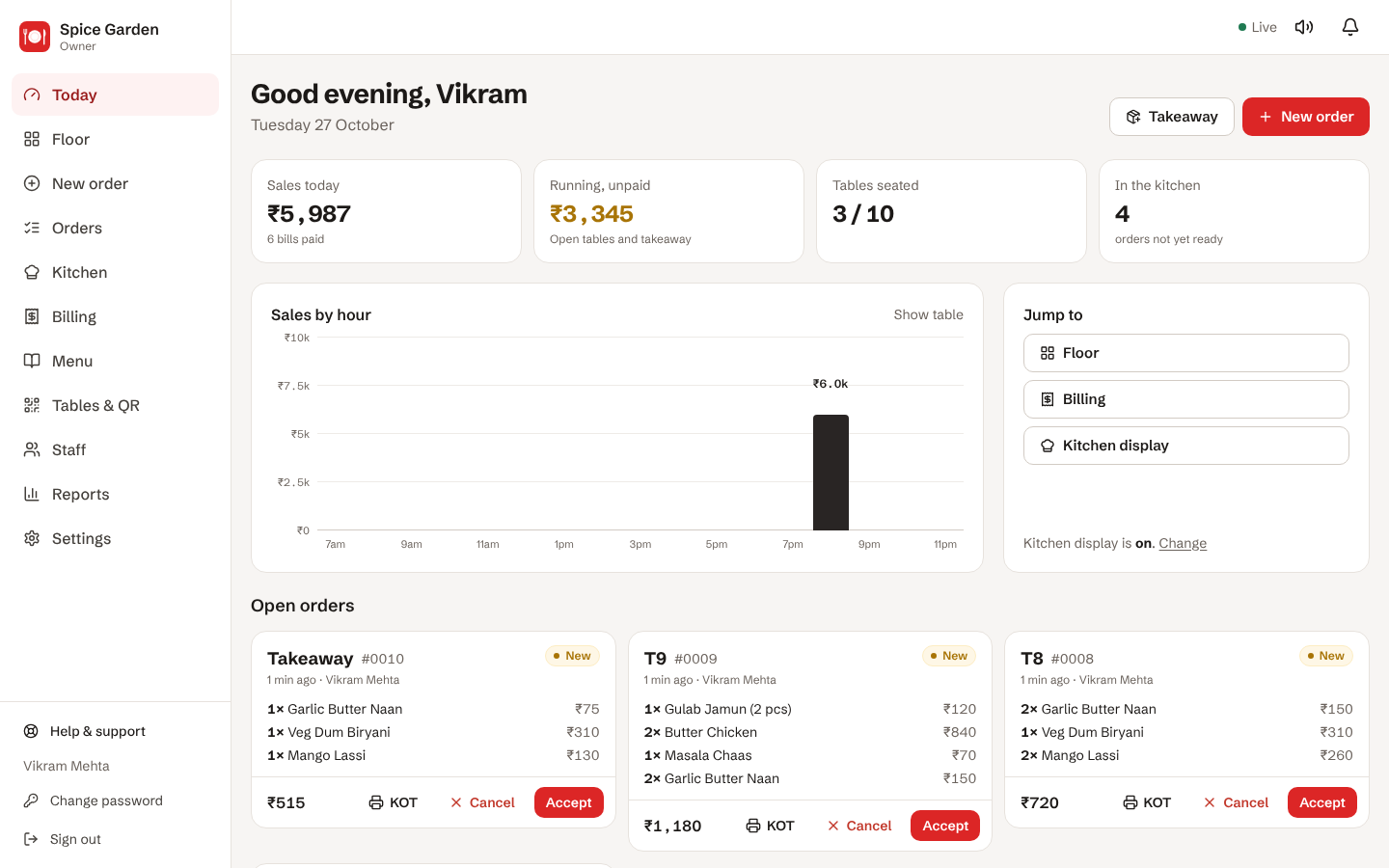
Know your sales, even when you're not there
See today's sales, running tables and what the kitchen is cooking. Daily and GST reports, plus Excel export for your CA.
- Owner PIN, and separate logins for cashier, waiter and kitchen
- Discounts and voids need a reason, and are recorded
- Automatic backup whenever the internet is on
Start billing in a day
-
1
Send an enquiry
Tell us about your restaurant. We call you, understand your counter and show a demo.
-
2
We set it up
We install the app, upload your menu, connect printers and train your staff.
-
3
Start billing
Your staff bill from day one. We're on call and WhatsApp when you need help.
Need a tablet or printer too?
Use what you already have, or get everything from us — set up and tested. Buy, rent, or take against a refundable deposit.
Ask for a quoteAndroid tablets
10-inch tablets for the counter and for waiters.
Windows computers
Full keyboard billing with shortcut codes.
Bill printers
58 mm and 80 mm thermal: Bluetooth, Wi-Fi or USB.
Kitchen printer
KOT prints in the kitchen, even far from the counter.